Onboard
This section walks through the process of onboarding to Readyset.Cloud.
Create an account
Follow the prompts to create a login account and log in to Readyset.Cloud.
Create a project
A Project is a logical collection of Readyset instances. Follow the prompts to create an empty project.
Create a cache instance
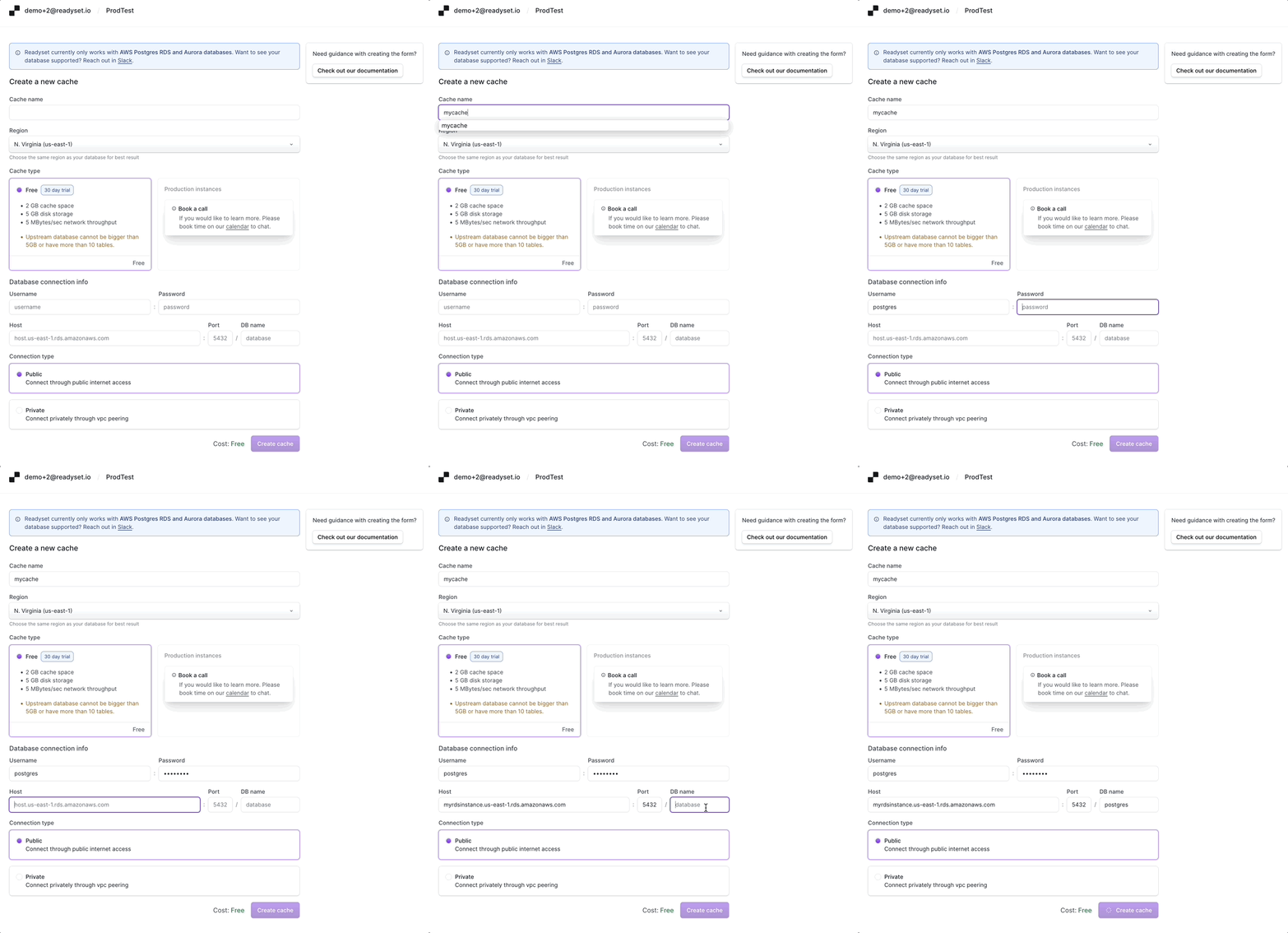
Now proceed to create a Readyset cache instance under the project just created. One would typically deploy a Readyset cache instance between the client and the backend Postgres database. When creating a cache, you must provide connectivity** **details so the Readyset instance can connect to your backend database.
Prerequisites
-
Please follow the instructions to configure AWS RDS or AWS Aurora Databases.
Do not skip the above step as AWS RDS must be configured with replication and appropriate privileges allowing Readyset to subscribe to changes from the backend database.
-
You are encouraged to test connectivity to your public RDS or Aurora Postgres database by connecting to the URL from a Postgres client. For, e.g.
psql postgresql://postgres:password@pghostname.us-east-1.rds.amazonaws.com:5432/postgres
Instance creation
Here are some general guidelines for creating the cache instance.
- When choosing a region, pick one identical to your backend database.
- Cache creation will take several minutes. If the cluster creation fails, the most common reason is the inability to connect to the backend Postgres database. If so, re-validate the Postgres URL, credentials, port number, and database configuration for connectivity, including enabling permissions.
Gather information
Readyset check_db_postgres is a script to gather information required to create a cache instance:
bash -c "$(curl -sSL https://raw.githubusercontent.com/readysettech/readyset/main/quickstart/check_db_postgres.sh)"The script will request you to provide a connection string in the format of postgresql://user:password@host:port/db_name.
If your instance is not publicly accessible you will require to have aws cli configured in order to fetch the VPC information.
Example output:
Readyset Create New Cache Fields:
Use below information to fill up your new Readyset Cloud Cache Instance:
{
  "cache_type":  Free,
  "user": postgres,
  "host": postgres.us-east-1.rds.amazonaws.com,
  "port": 5432,
  "db_name": postgres,
  "connection_type": "private",
  "upstream_aws_account_id": 09999999999,
  "upstream_vpc_region": us-east-1,
  "upstream_vpc_id": vpc-ffffffff,
  "upstream_vpc_cidr_block": 172.31.0.0/16,
  "desired_cluster_cidr_block": 10.0.0.0/16,
}

Slow Query Info:
You currently have 1 SELECT queries taking more than 2 seconds to run.
Demonstration